You can create labels up to a total of approximately 500 characters, regardless of whether you are creating one or multiple labels.
*The number of characters that can be entered may be reduced depending on the label type and input status.
When entering two-digit numbers in vertical writing, please use half-width characters. If you enter full-width characters, the numbers will be arranged vertically one by one.
* Characters of 3 or more digits are not permitted.
(Example) When entering "2005" vertically on both sides of the index label of TA- 21B (sheet No. HV).
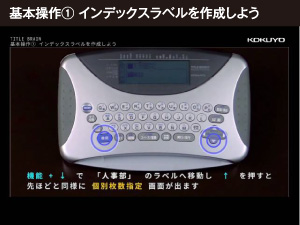
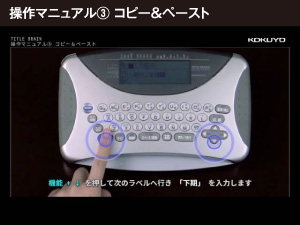
1) Turn on Title Brain 2, press the [Execute] key on "Create New", and enter "HV" on the sheet number input screen.
2) The layout editing screen will appear, so select the second from the left under "Same content on both sides" (vertical layout) and press the [Execute] key.
3) "Input screen A" will be displayed, so enter "Heisei".
4) Next, while pressing the [Function] key, enter "1" and "2" in succession, and when they are highlighted in black, press the [Half-width Conversion] key. Make sure that the number is displayed as two digits on the screen.
5) Next, enter the "fiscal year" and your entry is complete.
Yes, it is possible.
Place the cursor on the first character you want to change, select the range (press the [Function] key and then the [A] key), use the arrow keys to highlight all the way to the last character, and press each key (half-width conversion, kana conversion, vertical/horizontal).