Support

Title Brain Cross Compatible Labels
Over 100 types of labels to suit your needs We have it in stock.
Startup Guide download
Title: Braincross Startup Guide It is available as a PDF file.
Download the instruction manual
Title Brain Cross instruction manual It is available as a PDF file.
How to operate
How to set the ink ribbon
*To prevent the ink ribbon from getting tangled or broken
When setting, please take up the slack
Creating index labels
Creating a File Title Label
Automatically enter sequential numbers
How to create on PC
Title Brain Cross Console updates
Please check the version of your device and install the update if you are affected.
*Please always keep it up to date with the latest version.
[How to check the version]
-
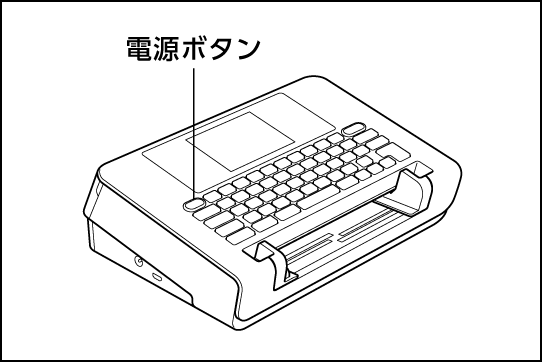
①Turn on the TITLE BRAIN X unit. -
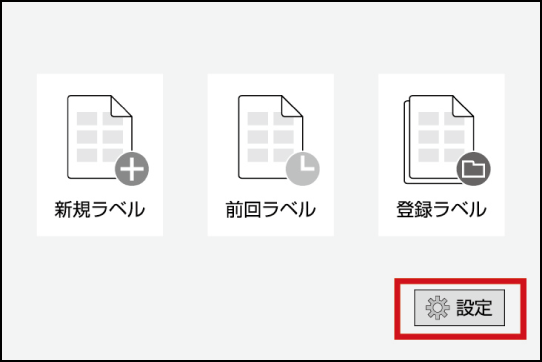
② On the home screen, select "Settings" and press "Run/Return." -
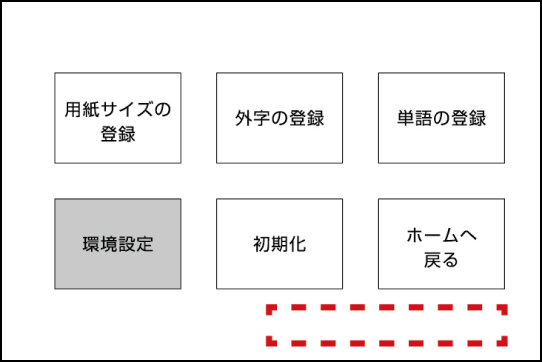
③The version is displayed in the bottom right.

PC software download
Creating label printing data on a PC
Free easy editing and printing software Please use "Awase Meister."
For printing via PC connection "TITLE BRAIN X PC printing software" Installation is required.
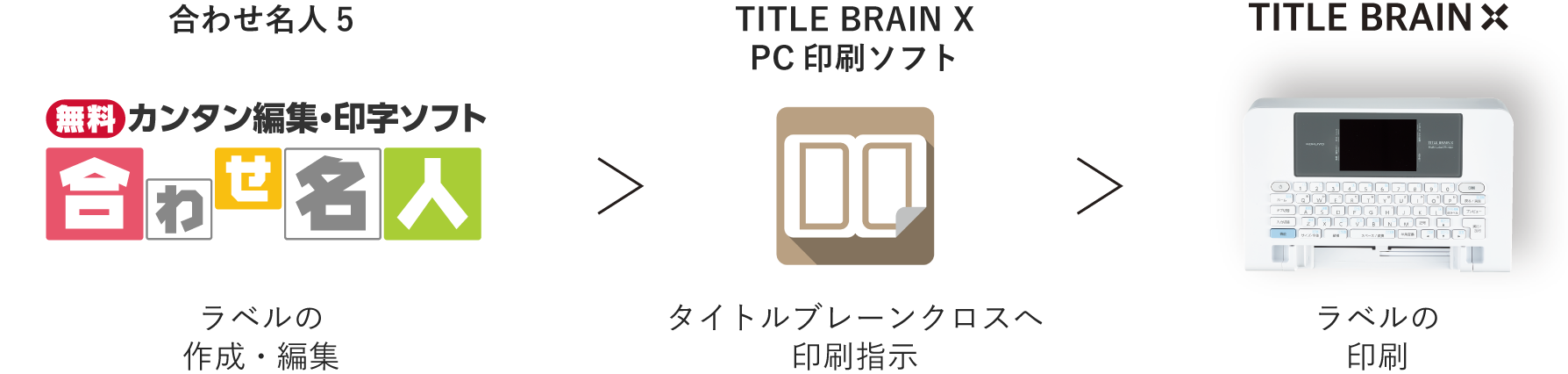
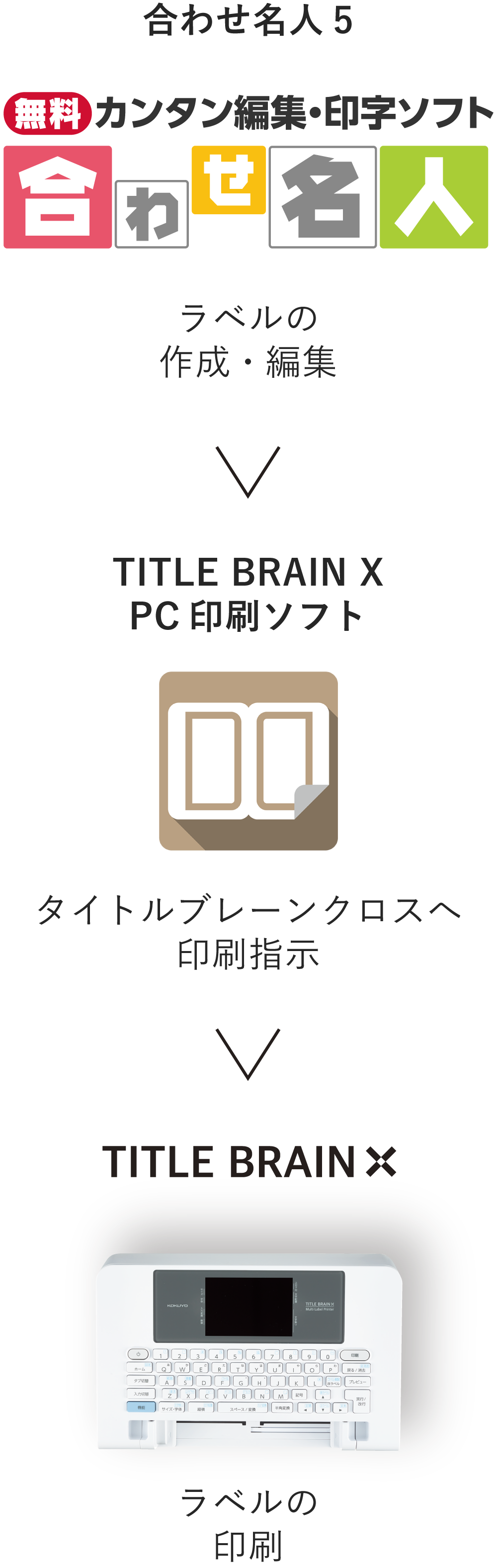
TITLE BRAIN X PC printing software

| Supported OS | Japanese Windows 11/10 (32bit/64bit) (PC with one of the above pre-installed) |
| Compatible models | PC/AT compatible machine (DOS/V machine) |
| Required equipment | USB port |
| Interface | USB connection (USB2.0/1.1 Type-A - USB2.0/1.1 microUSB Type-B) |
| Hard disk space occupied | Approximately 5MB |
| CPU | 2GHz or faster processor (Intel Core i3 or higher processor recommended) |
| memory | 4GB or more (8GB or more recommended) |
| Monitor | Resolution of 1280 x 768 px or higher (1920 x 1080 px or higher recommended) |
=General Provisions=
KOKUYO Co., Ltd. (hereinafter referred to as "our company") grants you (hereinafter referred to as "the user") a non-exclusive, non-transferable, non-sublicensable right to use the software "TITLE BRAIN PC Printing Software" provided by our company for the purpose of using the product "Title Brain Cross" (hereinafter referred to as "this product") provided by our company to you. The following defines the user's license conditions, our company's scope of responsibility and exemptions, etc.
These Software License Terms (hereinafter referred to as "these Terms") apply to the contract between our company and the user. The user must carefully read each provision of these Terms and conditions and agree to their contents before downloading, installing, and using the software.
Article 1 = Definition of terms =
1. "Software" means the original copy of the program included in this product, the product's instruction manual, and components provided to the user in accordance with this Agreement, regardless of the type of recording medium, and also includes upgrades, modified versions, updates, additions, and copies licensed to the user by our company at our discretion.
2. "Software Copy" means a copy of all or part of the software reproduced in a computer-readable form.
3. "Documentation" refers to the startup guide and other printed materials included with this product.
4. "Software usage rights" means the non-exclusive, non-transferable, and non-sublicensable right within Japan to download and install the software on a single computer used by the user and use it within the scope of the user's intended use of this product.
Article 2 =Terms of Use=
1. We grant the user a license to use the software in accordance with the terms of these Terms. The user may download, install, and use the software only if he or she agrees to the contents of these Terms. By using or downloading or installing the software, the user is deemed to have agreed to these Terms, and a contract based on these Terms (hereinafter referred to as the "Agreement") will be established between the user and us. If the user does not agree to each provision of these Terms, we will not grant the user a license to use the software.
2. Software is considered to be in use when it is installed in temporary storage (such as RAM, hard disk, or other computer storage device).
3. All rights, including copyright, relating to the Software belong to our company or the original rights holder that granted us the right to license the Software to the User in accordance with these Terms. The User shall have no rights in relation to the Software other than the right to use the Software granted in accordance with these Terms.
4. Trademarks included in the software and documentation are our trademarks or registered trademarks in Japan and other countries. Third-party trademarks, product names and logos may be trademarks or registered trademarks of their respective owners. These Terms do not grant you any right to use the names or respective trademarks of our company or our suppliers.
5. The User may make copies of the Software for the purpose of saving or backing up the Software. However, the copyright and other rights to the copies of the Software made by the User shall belong to our company.
6. The User understands that the Software is extremely complex and may contain bugs, and shall manage, at its own expense and responsibility, all operations necessary to use the Software, such as creating backups.
7. This product can only be used in Japan by users who have purchased it through our company.
8. When using the Software, the User shall comply with all applicable laws and treaties regarding copyright and other intellectual property rights in Japan and abroad.
Article 3 = Prohibited matters =
1. The User may not use the Software or create copies of the Software for purposes other than those specified in these Terms of Use.
2. You may not distribute or sell copies of the software and documentation.
3. The User may not use the Software or Software copies on more than one computer at the same time.
4. The User may not modify, reverse engineer, decompile or disassemble the Software without our prior written consent.
5. The user may not change or remove our copyright notices and trademarks in the software or documentation.
6. The user may not modify the software or documentation.
7. The User shall not use the Software or Documentation jointly with any third party, nor shall the User permit any third party to use the Software or Documentation by sublicensing, transferring, renting, leasing, or otherwise.
8. The User shall not use the Software to perform any act that infringes any right, including copyright, of our company or any third party.
9. The User shall not sell, ship, divert, export or re-export, directly or indirectly, for commercial purposes, the Software and Documentation, or products or systems combining these with other products, without the prior written consent of the Company.
Article 4 = Scope of responsibility =
1. We shall not be liable under any circumstances for any damages incurred by the user or third parties as a result of using, downloading, or installing the software. Furthermore, we do not guarantee that the software can be downloaded or installed correctly or that no damages will occur to the user as a result of downloading or installing the software.
2. We do not warrant that the software will meet specific requirements, that the software is free from errors, bugs, or other defects, that the software will operate without interruption, that the use of the software will not cause damage to the user or third parties, or that the software does not infringe the intellectual property rights of third parties. We and our distributors are not liable for any consequences arising from the user's use of the software for specific business purposes.
3. Products or network services other than the software on which the operation of the software depends (including those provided by our company as well as those provided by third parties) may be discontinued or suspended at the discretion of the provider of such products or network services. Our company does not guarantee that such products or network services on which the operation of the software depends will operate normally without interruption or will continue to operate normally in the future.
4. We shall not be liable for any damage to data caused by the user in a manner other than that which is normally used.
5. In no event shall we be liable to the user for any damages whatsoever, including loss of profits or assets, loss of information or data, or other incidental damages arising from the use of or inability to use the software.
6. We shall not be liable for any compensation for any claims made against the user by a third party regarding the use of the software.
7. We shall not be liable to the user for any failure or damage caused by any modifications made to the software or by using the software on a hardware configuration, platform or operating system other than that recommended.
8. We shall not be liable to the user for the accuracy, correctness, or reliability of the use of the software or its effects.
9. No oral or written information or advice given by our dealers, distributors, agents or employees shall create a warranty or in any way increase the scope of the warranties set forth in these Terms and Conditions.
10. We do not provide any technical support or remedies for the Software.
11. We expressly disclaim all warranties other than those expressly set forth in these Terms and Conditions and shall not be liable for any damages whatsoever.
12. The provisions in these Terms and Conditions that completely exempt the Company from liability shall not apply in the following cases: (1) if the User is a consumer under the Consumer Contract Act and this Agreement becomes a consumer contract as defined in said Act, or (2) if this Agreement does not constitute a consumer contract but there is intent or gross negligence on the part of the Company.
13. In the unlikely event that we are required to be liable for damages to the user in connection with the download, installation, or use of the Software, regardless of the legal structure, we shall not be liable for compensation for lost profits, consequential damages, indirect damages, or damages resulting from the loss or corruption of data suffered by the user. Furthermore, the amount of damages we shall be liable for in such case shall be limited to the amount equivalent to the price paid by the user for this product. However, the provisions of this paragraph shall not apply in cases where the Consumer Contract Act applies to this Agreement and where we are guilty of willful misconduct or gross negligence.
Article 5 = Updates =
The User agrees that we or a third party designated by us may publish software update data from time to time on a webpage related to the software established by us (hereinafter referred to as the "Webpage") for the purpose of improving the software's security functions, correcting errors, improving update functions, etc. The User agrees that software functions may be added, changed, or deleted as a result of such updates, and that these Terms of Use shall also apply to the updated software.
Article 6 = Termination of Service =
If we terminate the provision of the software, we may do so at any time by posting a notice on this webpage at least one month prior to the termination. In such case, this Agreement between you and us will terminate on the termination date announced by us.
Article 7 = Historical Information =
In order to develop and improve our products and services, we collect information about users' behavioral history (including, but not limited to, information about the number of times and times that software and documents are accessed; hereinafter referred to as "History Information"). History Information does not include information that identifies or identifies individual users, and will not be used in a manner that could identify individual users by linking it to collected personal information.
Article 8 = Termination of these Terms and Conditions =
1. If the User violates any of the provisions set forth in these Terms, our company may immediately terminate this Agreement.
2. In the event that this Agreement is terminated pursuant to the provisions of the preceding paragraph, the User shall either destroy or return all of the Software to us within seven days of the date of termination of this Agreement. If the User destroys the Software, the User shall immediately submit to us a document certifying that fact.
Article 9 = Changes to these Terms =
We may change the contents of these Terms and Conditions without obtaining User consent if (i) the change is in the general interest of Users, or (ii) the change does not violate the purpose of this Agreement and is reasonable in light of the necessity of the change, the appropriateness of the changed content, the content of the change, and other circumstances related to the change. In this case, we will notify Users of the changed content of these Terms and Conditions and their effective date by posting it on this webpage or by other equivalent means, with a reasonable notice period. Users will be deemed to have agreed to the changed Terms and Conditions if they use the Software after the effective date of the changed Terms and Conditions.
Article 10 =Other=
1. These Terms and Conditions shall be governed by and construed in accordance with the laws of Japan.
2. Any disputes arising out of or relating to these Terms and Conditions shall be resolved by the Tokyo District Court as the court of first instance.
3. If any part of these Terms and Conditions is found to be incompatible with the law, that part will be excluded from these Terms and Conditions, but the remaining parts will not be affected.
4. If any matter not specified in these Terms and Conditions or any doubt arises regarding the interpretation of these Terms and Conditions, the User and our company shall negotiate in good faith to resolve the matter.
5. The provisions of Articles 3, 4, 7, Article 8, Paragraph 2, and Article 10 shall remain in effect even after the termination of this Agreement.
End
Established on October 27, 2022
Kokuyo Co., Ltd.
FAQ
Q. What about labels from other manufacturers besides Kokuyo? Can I use it?
A. We cannot print on labels from other manufacturers. Only compatible with Kokuyo pre-made labels.
Q.Can I print in color?
A. The title page is printed in the color of the ink ribbon.
The colored ink ribbon is available in red for paper and black for resin.
Q.How many labels can be printed with one ink ribbon? Can you print?
A. Approximately 30 sheets (per sheet It is possible to print 12 labels.
* TA- 21 (Sheet No. HV) for one label 28 SS characters (7 characters x 2 lines x 2 columns) When printed. The values are actual measurements taken by our company.
Q. How many labels can a new battery make? Can you print?
A. Approximately 30 sheets (per sheet It is possible to print 12 labels.
* TA- 21 (Sheet No. HV) for one label 28 SS characters (7 characters x 2 lines x 2 columns) When printed. The values are actual measurements taken by our company.
This guideline is based on input time, number of characters, character size, Depending on the decorative character settings, number of prints, etc. It changes.
Also, depending on the battery used, Please note that there may be variations.
Q.What is the vertical two-digit number on the label? Can you print?
A.To enter two-digit numbers in vertical writing, Please specify half-width characters. If you enter full-width characters, each number will be displayed vertically. will be placed.
* Characters of 3 or more digits are not permitted.
Q. I want to change the characters I entered to half-width characters or Can I change it to katakana, vertical writing, etc.?
A: Yes, it is possible. Enter the first character you want to change. Place the cursor and select the range (press the [Function] key) (Press the [A] key while pressing the [
Use the arrow keys to highlight the last character, Each key (half-width conversion, kana conversion, vertical and horizontal) Please press.
Q.The print is overall What if it gets out of place?
A. Check if the sheet number is entered correctly. Please check.
・Put the seat in the correct position Insert it straight in.
(Instruction manual, p. 102)
Q. What about Title Brain 2 data? Can I use it?
A. Data compatibility with Title Brain 2 there is no.
Q. It was used in Title Brain 2. Can I use ink ribbons?
A: Yes, you can use it.
Q. It was used in Title Brain 2. Can I use an AC adapter?
A: No, you cannot use it. Exclusive to Title Brain Cross Please use the AC adapter.
Q. It was used in Title Brain 2. Can I use a USB cable?
A: No, you cannot use it. USB Type-A to microUSB Type-B Please use it.
Q.Is the LCD a touch panel?
A. No, it is not a touch panel type.
Q. On the preview screen The characters will become ■.
A. If the displayed text is too small, ■It will be displayed. Press the Preview key The image will be enlarged.
Press the Preview key again Return to the image display of the overall layout.
(Instruction manual p.97)
Q. On the right side of the <Insert Sheet> screen The text changes to ■ in the layout. It becomes like this.
A. If the displayed text is too small, ■It will be displayed.
(Instruction manual p.101)
Q. Turn off the power while it is running There is a place to put the ink ribbon. I hid.
A. Close the rear hatch and Please turn the power off and on again.
Once the initial movement begins and finishes Return to normal position.
Q. What happens when I print text? The characters will be crushed. (Example: ○ becomes ●)
A. Title Brain Cross main body Change the version to Ver1.3 or later This can be fixed by upgrading the version.
The version upgrade is here